About Me:
My name is Brian Barthold. I'm a full stack web developer residing in Northwest Indiana, just a 35-minute train ride from downtown Chicago. I now have 20 years of experience.
I am experienced developer proficient in PHP 7/8, MySQL 5/8, CakePHP, HTML, CSS / SASS, Javascript, Tailwind CSS, Wordpress, Laravel, Livewie, VueJS, Javascript, Webpack, Ubuntu, Apache 2, Docker, Virtualbox, GIT, Gitlab, Bitbucket and building custom Web Applications.
My Work:
When a project's goals are aligned with a fair budget and a realistic timeline I can always build something great. I've now worked on a countless number of small solo projects and a few dozen of larger team projects. I use open source technologies such as LAMP stack with various configurations of custom PHP applications. I prefer Sublime text but I also like VS code.
Work History:
Employed Sept. 2020 - Present
Pearson
Hybrid role of development and system engineering with passion for building and maintaining reliable and scale-able systems, CI/CD tooling, and automating cloud-based highly available, high performing applications. Primiarly using AWS and Gitlab infastructure in linux based environments.

Employed 2009 - Sept. 2020
Grossbauer
Motivated results-oriented open source web developer and project manager with a track record for successfully completing high-priority projects on-budget and on-time. Reputation for analytical acumen, complex problem solving skills and ability to lead and motivate project teams. Experienced programmer with strong communication skills, both written and oral, and strong desire to expand development knowledge and capabilities with a progressive organization.

Employed 2000 - 2009
Lakeshore Staffing, Inc.
Maintained web site for company and help develop application to import users directly into company CRM. Provided second shift help desk support for entire company and also assisted in bulk mailing campaigns. Also worked directly with Luby Publishing on billiardsdigest.com and bowlersjournal.com. Lakeshore Staffing Inc. was ranked #6 in 2000's INC 500 rankings. (now INC 5000).

Employed 1998 - 1999
Northern Indiana Internet Access
Provide Level one, and Level two suppport for all Dial up, and DSL connections. Also provided level one support with our web hosting clients. Company was acquired by skyenet and then myvine.net

Frontend:
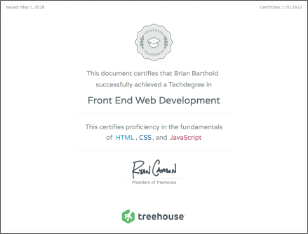
Treehouse Frontend Web Development
I recently completed a front end web development course on treehouses tech degree program. The course consited of 12 final projects covering basic html and css to sass, javascript react and more advanced javascript concepts.


Frontend Technologies I use:





Backend:
PHP 5/7 over Ten year experience CMS / Application Development
I have over ten years experience in developing web sites and web applications in php. I have primarly built sites in CakePHP, and more recently Laravel. I also have experinence in Wordpess, and primarly ModX for CMS design and implemantation.
Backend Technologies I use: